How to Transfer Money with Wise: A Beginners Guide 2026
If you’re looking to send money overseas from Australia, you likely want a process that is as straightforward as it is affordable. Navigating international payments can often feel complex, but Wise (formerly known as TransferWise) offers a modern alternative to using a bank. By focusing on transparency and speed, Wise has built a global network that simplifies how you move and manage your money across borders.
This guide explains how to transfer money with Wise. We will cover everything from setting up your first payment to understanding the fees and exchange rates. Whether you are paying an overseas invoice or sending a gift to family abroad, we will take you through the process step by step to ensure your funds arrive safely and efficiently.
How does Wise work
When you send money with Wise, you can pay into a bank account in 140+ countries. The process is designed to be fast, often resulting in instant deposits for your recipient. Everything is managed through the Wise website or app, allowing you to fund your transfer in AUD using several local methods. Wise then converts your money at the mid-market rate and delivers it to the destination account.
Wise operates differently from banks that rely on the SWIFT network. Instead of moving money across borders through various intermediary banks, Wise maintains a global network of local bank accounts. When you pay for a transfer, you send AUD to Wise’s account in Australia. Wise then pays out the equivalent amount in the target currency from its local account in the recipient’s country. This network of accounts cuts out the middleman, which helps reduce costs and makes the entire process faster.
Key features of Wise international payments:
-
- Mid-market exchange rate: Wise uses the mid-market rate for currency conversions with no hidden markups added.
- Low and transparent fees: Transfer fees are shown upfront and typically start from just 0.63%, depending on the currency.
- Fast delivery: Wise payments are fast – 60%+ of transfers are instant (under 20 seconds) and over 80% arrive within 1 hour*.
- Convenience: It’s easy to set up a Wise payment online or in the Wise app, meaning you never need to visit a physical branch.
*The speed of transaction claims depends on individual circumstances and may not be available for all transactions.
Read our Wise review for more detailed information.

How to transfer money overseas with Wise (formerly TransferWise)
Step 1: Go to Wise
Go to the Wise website or download the Wise app for free on iOS and Android.
Step 2: Sign up
Enter your email address, Facebook, Apple or Google ID and create a secure password, which you will use to access the account in the future.
Step 3: Verify your account
You’ll need to follow prompts to provide your full name, date of birth, contact number and residential address. You’ll also be prompted to upload an image of your ID document and a proof of address – all you need is a photo captured with your phone.
Step 4: Create your transfer
Once you have a verified Wise account you can set up your first payment. Enter the amount you want to send or the amount and currency you want the recipient to get. You’ll see the different ways you can choose to pay, the exchange rate and the costs of sending your transfer. You’ll also see a delivery estimate.
Step 5: Recipient details
Once you’ve checked everything over, fill in the details of the account you’re sending the money to. This can differ depending on where you’re sending it, but you’re guided throughout by on screen prompts.
Step 6: Pay for the transfer
Once you’ve filled out all the required information you’ll be able to pay for your transfer using your chosen payment method. Again, you’ll be taken through step by step using on screen prompts.
Step 7: Confirmation
The final step will be a confirmation of your order, it will include the rate you received, the amount you’re sending and the total your recipient will receive once the transfer has been completed.
How to transfer money with Wise – step by step video
Do I need a bank account to use Wise?
If you’re sending a Wise payment, the cheapest option is usually to pay using your bank account or debit card. However if you don’t have a bank account you can also use a credit card.
If you’re receiving a Wise payment you can have your funds deposited to your bank account – or if you don’t have a bank account in the currency you’re receiving you could open a Wise account which lets you receive 8+ currencies with local account details.
How to pay for your Wise transfer
When sending Australian Dollars (AUD), you have several flexible options to fund your payment. Choosing the right method depends on your priorities, such as whether you need the lowest fee or the fastest delivery.
You also don’t need a specific bank account to use Wise. While many users pay via bank transfer, you can also fund your transaction using a credit card if you prefer. For those receiving a payment, funds can be deposited into an existing bank account or into a Wise account, which allows you to receive money in 8+ currencies with local account details.
AUD payment methods and limits:
- Bank transfer
- Credit or debit card
- POLi
- PayID
- Wise balance
How to use the Wise app
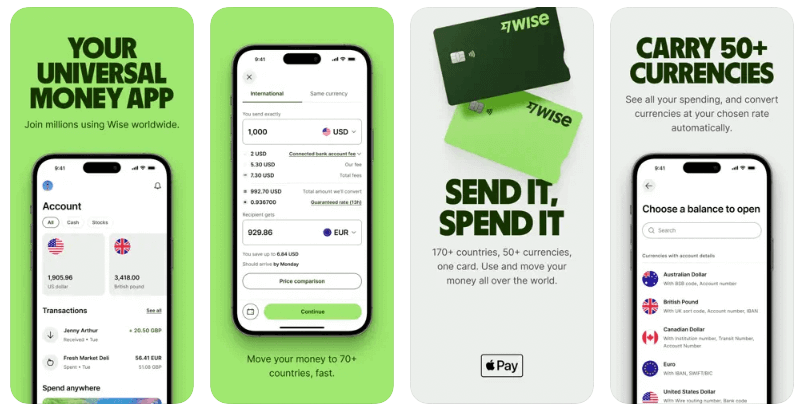
Download the Wise app and you can send Wise transfers easily with just your phone. The basic steps to set up a Wise account and start sending money, are much the same as those outlined above. Here’s a quick reminder of how to use Wise, focusing on using the Wise app specifically:
- Download the Wise app for free
- Register an account by entering your personal and contact information
- Get verified by uploading a photo of your ID documents
- Model the payment you want to make to get a fee and rate quote
- Choose how you want to pay
- Check everything over and confirm – you’ll be prompted to pay using your chosen payment method
How much does Wise charge to transfer money?
Wise is known for its commitment to transparency, meaning that when you set up a payment, you see exactly what you are paying upfront. Unlike many providers that hide extra costs in inflated prices, Wise uses the mid-market exchange rate to convert your money without adding any hidden markups.
The total cost consists of a small fee that varies based on the destination and currency, plus a fee based on how you choose to pay. Because Wise operates its own payment network and avoids physical branches, it bypasses the high costs of systems like SWIFT. These savings are passed on to you through lower fees and a fairer exchange rate.
Fee example: Sending 1,000 AUD to GBP
| Payment method | Recipient gets | Fees | Total fee |
|---|---|---|---|
| Wise Balance | 527.56 GBP | Account transfer fee: 0 AUD
Wise fee: 4.52 AUD |
4.52 AUD (0.45%) |
| Bank Transfer / PayID | 527.25 GBP | Wise fee: 4.73 AUD
Bank transfer fee: 0 AUD |
4.73 AUD (0.47%) |
| Debit Card | 525.73 GBP | Debit card fee: Up to 2.89 AUD
Wise fee: 4.72 AUD |
7.61 AUD (0.76%) |
| Credit Card | 522.13 GBP | Credit card fee: Up to 9.70 AUD
Wise fee: 4.69 AUD |
14.39 AUD (1.44%) |
*Information correct at time of writing – 5th May 2026
Wise exchange rate
Whenever you exchange money with Wise you get the mid-market exchange rate. That’s the one you’ll find with a currency conversion tool and also the one banks get when they buy and sell currencies on wholesale markets. However, banks usually add a markup – an extra percentage fee – to the mid-market rate when they calculate the rates offered to retail customers. This isn’t easy to spot and can mean that the overall costs are higher than you think when you send a payment with a bank.
Wise uses the mid-market rate because transparency is important. You see the rate and the costs split out clearly so you can identify the amount you’re paying for your transfer without needing to pick apart the maths.
How long does it take to transfer money with Wise internationally?
Because Wise uses its own payment network rather than the SWIFT network, transfers can be far faster than with your bank. While the exact time it takes to transfer money with Wise internationally does vary based on factors like the destination country and the value of the payment, 60%+ of transfers are instant (completed under 20 seconds) and 80%+ are delivered in less than 1h*.
To keep you informed, Wise provides a delivery estimate before you confirm your international transfer, which lets you know exactly when the money is expected to be deposited and ready for use. Once your payment is confirmed, you can track its progress in real-time using the Wise app.
*The speed of transaction claims depends on individual circumstances and may not be available for all transactions.
Wise transfer limits from Australia
f you’re sending money from Australia there may be some transfer limits based on how you want to pay, and some limits also apply based on the destination currency.
- Bank transfer: Often the most cost-effective way to fund a transfer, you can send up to 1.8 million AUD per payment. However, your own bank may impose limits which are lower than this.
- Credit or debit card: The fastest way to fund smaller payments, with a limit of 18,000 AUD.
- POLi: Pay directly from your online banking with a 1.8 million AUD limit per transaction.
- PayID: A popular and fast option in Australia. You can send up to 50,000 AUD per transfer.
- Wise balance: If you already hold AUD in your Wise account, you can send up to 5 million AUD instantly.
The limits which apply based on the currency you’re sending vary but are generally set high to allow customers to transact freely. Limits are usually in the region of 1 million GBP or the currency equivalent.
Writer’s tip: Unlocking higher Wise transfer limits
If you need to send a high-value payment that exceeds standard limits, ensure your account is fully verified beforehand. For very large sums, Wise may request additional documentation regarding the source of your funds. Completing verification early is the best way to move high amounts without delays.
Is Wise safe to use in Australia?
Wise handles billions of dollars in global transactions every month. From the moment your money enters the system, it is protected through a process called safeguarding. Your funds are held in accounts separate from those Wise uses to run its business, typically with major financial institutions like JP Morgan Chase and Barclays.
Wise also uses several layers of technology to help keep your account and payments protected, including:
- Two-step authentication (2FA): When you log in or set up a payment, Wise verifies your identity to ensure only you can access your funds.
- Encryption and biometrics: High-level data encryption is used to protect your personal information. On mobile devices, you can also use your phone’s built-in tech, like fingerprint or facial recognition, for extra protection.
- Real-time notifications: You get an alert whenever you spend or move money, helping you keep an eye on your activity and report any unfamiliar transactions immediately.
- Customisable card controls: If you have a Wise card, you can instantly freeze it in the app if it’s lost or stolen. You can also create digital cards with unique details to keep your main card information private.
- Always-on automatic monitoring: Specialised teams use smart technology and machine learning to monitor transactions and stay ahead of fraudulent behaviour.
For more detailed information, you can read our full Wise safety and security guide.
How to receive money with Wise
You can receive money with Wise in 2 ways:
- Deposit to your bank account
- Open a Wise account and receive payments in 8+ currencies with local account details
If you want your money deposited to your everyday bank account all you have to do is give the sender your bank details (including your name, account number and BSB). The payment will be deposited to your account once it’s been processed with no need for further action on your part.
As an alternative you can also open a Wise account and have your money deposited there using the local account details that come with Wise. When you set up your Wise account you can get local account details in 8+ major currencies including AUD, NZD, USD, GBP, EUR and more. You can then simply give these details to the person sending you a payment and the funds will be deposited right to your Wise account for convenience.
Here’s a quick step by step guide to opening a Wise account and receiving a payment there:
- Download the Wise app or sign up on the Wise desktop site
- Register an account by entering your personal and contact information
- Get verified by uploading a photo of your documents
- Once your account is verified, tap the + symbol in the app to open a balancein the currency you want to receive
- Tap the currency balance and then select See local account details
- You’ll be shown the account information you need – share this with the sender
- Your money will be deposited to Wise directly
How much does it cost to receive money with Wise
If you’re receiving a payment with Wise to your bank account there’s no Wise fee to pay. Bear in mind you may find your own bank charges a fee for incoming payments.
If you’re receiving money to Wise into your own Wise account with your local account details, it’s free to receive in most cases.
The exception is if you’re getting paid by wire or Swift payment in USD – a 6.11 USD charge applies in this situation, but you can get USD for free if the sender uses an ACH payment instead. There’s also a 2.16 GBP and 2.39 EUR fee to receive GBP and EUR Swift payments.
Conclusion
Sending money internationally with Wise is easy and can all be done online or in the Wise app. You’ll be able to pay for your transfer in AUD and have it deposited into your recipient’s account in any of the 140+ supported countries.
Because Wise has developed its own network of bank accounts globally, it can process international payments faster and with lower fees compared to many banks. Check out how Wise compares on cost, transparency, speed and ease of use, against a few other options to get the best one for your specific needs.
FAQs – How to Transfer Money with Wise
How do I transfer money from Wise to another account?
If you have a Wise balance you can send money from it, to another account in someone else’s name, or withdraw to your own bank account. If you’re sending a payment to someone from your Wise balance you’ll set up your payment as usual and just choose Wise balance as your preferred payment option when prompted.
How much can I transfer to a Wise account?
The amount you can receive in a Wise account is often unlimited but it’s helpful to know that there are limits on holding a balance in some countries or in certain currencies. Get all the details on the Wise desktop site, or reach out to the service team for further assistance if you run into issues.
How to use Wise for international transfers
To send a Wise international transfer you’ll just need to enter the amount and currency you want to send, or what you need the recipient to get in the end, on the Wise desktop site or app. Follow the prompts to pay, and your money will get moving right away.
Useful resources
- Wise: Australia: The official homepage for Wise in Australia with information on account, card, fees and payment services.
- Wise: Guide to AUD transfers: Official details on payment methods, AUD limits, and expected arrival times for your transfers.
- Wise: Fees and limits for receiving money: Comprehensive information regarding receiving limits and account detail usage.
- Wise: Safety and security: A detailed look at how Wise handles safeguarding, two-step authentication, and the technology used to protect your funds.
- Wise: Help Centre – How to send money: An official, step-by-step technical walkthrough on setting up and funding your first international transfer.