Wise Limits: Transfer, Card and Account Limits in Australia (2026)
Whether you are planning a significant international transfer for your business or simply checking your spending power before a large purchase, knowing your transaction limits is essential. If you are sending money from Australia, you can transfer up to 5 million AUD when paying from your Wise account balance, or up to 1.8 million AUD per transaction when using a bank transfer.
With Wise it is simple to send money to 140+ countries with the mid-market rate and low fees, to receive payments in 8+ currencies with local account details, and to hold and exchange 40+ currencies in a Wise account. You can also get a Wise debit card for simple spending and withdrawals.
This guide walks through the Wise limits that apply when you hold, transfer, spend or withdraw money. Let’s dive right in.
Quick summary about Wise
- High transfer limits: Send up to 5 million AUD per transfer from your Wise account balance, or 1.8 million AUD via standard bank transfer.
- Unlimited holding: You can generally hold an unlimited balance in your Wise account with no ongoing holding fees.
- Flexible spending: Your Wise debit card comes with default daily and monthly limits for spending and making withdrawals, which you can easily adjust in the app to suit your needs.
- Transparent controls: Whether managing personal funds or a business account, you can check your limits in the Wise app.
- Security first: Limits are set by Wise for your protection, ensuring safe transactions for both personal and business customers, even when holding or sending high value payments.
Does Wise have limits?
Wise customers can open flexible multi-currency accounts which allow them to hold 40+ currencies, send payments to 140+ countries, and spend with a Wise card in 150+ countries.
Wise has a few limits on how much customers can send and spend from their account. These limits apply for security reasons, and to help keep customers’ accounts and funds safe. Generally, the limits in place with Wise are set at a fairly high level to allow customers to transact safely for themselves and their businesses – but it’s still well worth double checking the Wise limits which may apply to your account if you’re planning on making a high value payment or large purchase soon.
Wise transfer limits
Wise money transfer limits can vary a little depending on the currencies involved. However, Wise is safe even for high value transfers, and limits are set to allow individuals and businesses to transact freely. In some cases the limits can change based on how you want to pay for your transfer – but whenever you run into a Wise limit you’ll be notified, and you’ll be able to get information and advice about your options easily online or by opening an in-app chat with customer services.
It’s also important to be aware that when moving money into or out of Australia, you need to declare cash worth 10,000 AUD or more (or the foreign currency equivalent) to AUSTRAC. While electronic transfers don’t require a personal declaration from you, they are still reported by financial service providers as part of standard regulatory requirements.
💡 Writer’s tip: Getting ready for large transfer limits
If you’re planning on sending a large payment that’s higher than your usual limit, it’s a smart move to get your account verified a bit early. Just provide the necessary info, and the team will help you get everything set up. Getting this sorted ahead of time means your big transfer can go through smoothly without any delays. Wise does this by checking your photo ID and address, and the process usually takes about 2 working days.
Here’s a look at the per transaction limits Wise uses for international payments, split out by currency. We’ve covered some popular currencies here – you can learn more online in the comprehensive range of transfer guides provided by currency.
| Currency | Wise sending limit (per transfer) |
| AUD | 1.8 million AUD by bank transfer or 5 million AUD from your Wise AUD account |
| USD | 1 million USD by local transfer, 1.6 million USD by international SWIFT transfer, or 20 million USD from your Wise USD account |
| EUR | 20 million EUR |
| CAD | Unlimited |
| NZD | 2 million NZD |
*Correct at time of writing – 20th April 2026
Sending limits by payment method
When sending AUD, the maximum amount you can transfer is determined by the payment method you choose. Here is an overview of the limits for sending Australian dollars:
| Payment method | Maximum sending limit |
| Bank transfer | Up to 1.8 million AUD |
| Card (Debit/Credit) | Up to 18,000 AUD |
| PayID | Up to 50,000 AUD |
| RTGS | No limit |
| Wise account | Up to 5 million AUD |
Wise account limits
With a Wise account you can hold and exchange 40+ currencies, and get local account details in 10 currencies to get paid conveniently by others. It’s free to hold money with a Wise Australia account, and there’s generally no limit to the balance you can keep in Wise. However, some limits may apply to Wise accounts issued elsewhere in the world – so if you’re not a Wise Australia customer it’s worth checking the online terms and conditions for your specific account for more information. Limits may also apply when receiving a payment to some Wise currency balances – more on that next.
Wise account receiving limits
With a Wise Australia account you can get local account details in 8+ currencies, to receive money to your account by local transfer. It’s often free to get paid into your Wise account by others, although a couple of key fees do apply which it’s worth knowing about:
- There’s a 6.11 USD fee per transaction for receiving USD wire and SWIFT transfers
- There’s a 2.16 GBP fee per transaction for receiving GBP SWIFT payments
- There’s a 2.39 EUR fee per transaction for receiving EUR SWIFT payments
In most cases, there are no limits on how much you can hold in a Wise account, or how much you can receive into your account using local details. For AUD specifically, there are no limits on the amount you can receive via local Australian bank transfers or international SWIFT transfers. You can hold an unlimited balance, although very large transfers may occasionally require additional verification for compliance purposes. There are also some exceptions which are set according to the currency involved.
For example, when receiving USD to Wise, there may be a limit to the amount you can receive, but this limit won’t be lower than 20 million USD. So even if your account is subject to a limit, the level is set very high for both personal and business customers.
Wise card limits
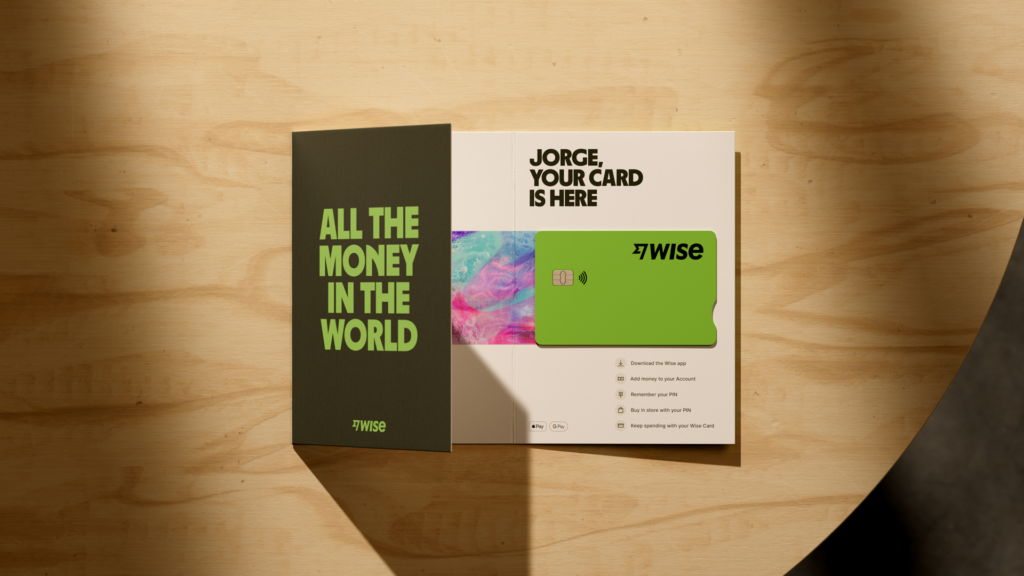
You can order a Wise card which is linked to your Wise account. There’s a one time fee to get your card, and then no ongoing costs. You’ll just need to top up your money in AUD and you can spend in 150+ countries globally. Either switch to the currency you need in your account in advance – or let the card automatically convert for you when you buy something if you prefer. Read more about the Wise debit card.
Wise cards have limits which are set for security purposes. Your card comes with default set limits which you can change if you would like to. Daily and monthly limits apply – daily limits refresh each day at midnight, while monthly limits restart on the first day of each calendar month. You can set these limits higher, however, the amount you spend still can’t exceed your account limits. So if you want to spend more, you’ll also need to increase your account limits.
We’ll look at how to change your limits, next.
How to change spending limits on Wise card
If you’re not happy with the default limits it’s easy to change them to suit you – just log into your account on the Wise app or desktop site.
In the Wise app:
- Open the app and go to the Card tab – tap Limits
- Choose the limit you’d like to change – spending or ATM withdrawals – and tap on Change your spending limits
- Enter your chosen limits and tap Save
On the Wise website:
- Log in and go to the Cards tab on the left hand side of the screen
- Choose the limit you’d like to change – spending or ATM withdrawals – and tap on Change your spending limits
- Enter your chosen limits and tap Save
How to check Wise card limits
You can view your Wise card limits, and see how much you have left on any particular limit, by logging into your Wise account online or in the app, and tapping the Cards tab.
Wise Business limits for account & card
You can open a Wise Business account for your company, and order a linked debit card for yourself, and expense cards for your team members. That can make international business spending easier, cheaper and simpler to manage.
There are limits to how much you can spend or withdraw with a Wise Business account. The limit is set according to the country your business is registered in.
Wise Business cards spending limits
Wise Business debit and expense cards come with some spending and withdrawal limits, which are set for security. The limit applies for all card holders linked to one business account. That means that if one team member makes a high value purchase and exhausts the monthly spending limit, the limit is exhausted for all card holders until it resets.
To help you manage these controls, here’s how different types of limits work within your business account:
| Limit Type | What it covers | Managed by | Mandatory or Optional |
|---|---|---|---|
| Account limits | Total spend and withdrawals for all team members | Account owner, team members with relevant permissions | Mandatory |
| Cardholder limits | Total spend and withdrawals across all cards held by one person | Account owner, team members with relevant permissions | Account owners: Optional; Team members: Mandatory |
| Limits per card | Spend and withdrawal amounts on a specific card | The team member who owns the card | Optional |
*Correct at the time of writing – 20th April 2026
Wise Business expense card limits
You can issue Wise Business expense cards to team members who need to spend on behalf of the business. To make sure you’re still in control of the account, you can set spending limits for each member, which the individual can then view in the Wise app. You can also choose to limit the amount any team member can take out of ATMs, or block a card or cards temporarily to allow you to control your business cash flow more easily.
How to check Wise Business limits
You can view your Wise Business card limits, and see how much you have left on any particular limit, by logging into your Wise account online or in the app, and tapping the Cards tab. If you have issued Wise expense cards to team members they’ll be able to see their own limits within the app but can not access any sensitive details unless you’ve given permission within the multi-user access function.
Conclusion: Does Wise have limits?
Wise accounts let individual and business customers in Australia and around the world hold, send, spend and exchange currencies conveniently and with low fees. There are a few Wise limits which apply to some services and transactions, set for security, and to make sure customer accounts are kept safe.
Generally, Wise transfer limits are set very high, at the equivalent of around 1 million GBP per payment. This is to allow individual and business customers to transact freely. There’s also usually no limit on the amount of money you can receive into your Wise Australia account using local account details. No matter what you need to do, the good news is that Wise is safe, thanks to employing measures such as two-step authentication, biometrics and encryption and customisable controls. That means it’s a secure way to hold even high balance amounts, and to send high value payments, with low charges and the mid-market exchange rate.
Frequently asked questions about Wise limits
How much can you send with Wise from Australia?
You can send up to 5 million AUD per transfer when paying from your Wise account, while bank transfers from Australia are capped at 1.8 million AUD per transaction. Please keep in mind that your own bank may impose its own internal limits on the amount you can send to Wise, so it is worth checking those specific terms before initiating a large transfer.
Is there a limit on how much you can hold in a Wise account?
Wise generally does not impose a maximum limit on the balance you can hold in your account, making it a flexible option for both personal and business users. You are able to hold significant amounts in your multi-currency balances, ensuring you have the funds you need readily available for spending or international transfers whenever you need them.
What happens if you hit a Wise limit?
You will be notified in the Wise app or on the desktop site if you hit a limit on a payment you are trying to arrange. For your Wise card – daily and monthly limits apply; daily limits refresh each day at midnight, while monthly limits restart on the first day of each calendar month. In most cases, there are no limits on how much you can hold in a Wise account, or how much you can receive into your account using local details.
Useful resources
- AUSTRAC: Moving money into or out of Australia: Official government guidance on declaration requirements for large sums of money.
- Australian Banking Association: An Easy Read guide to opening a bank account: A helpful overview of the identification requirements needed to open accounts in Australia.
- Wise: Australia: The official homepage for Wise in Australia with information on account, card, fees and payment services.
- Wise: Guide to AUD transfers: Official details on payment methods, AUD limits, and expected arrival times for your transfers.
- Wise: Fees and limits for receiving money: Comprehensive information regarding receiving limits and account detail usage.