How to Withdraw Money from Wise to Bank Account: A Full Guide [2026]
Wise accounts can be used to receive 8+ currencies with local account details, and to hold any of over 40+ supported currencies. If you’ve got a balance in your Wise account you might want to withdraw it to your bank account, or use your Wise card to make cash withdrawals from an ATM at home or abroad.
In this guide we’ll cover how to withdraw money from Wise to a bank, how to use your Wise card to make ATM withdrawals, as well as the fees and limits you can expect.
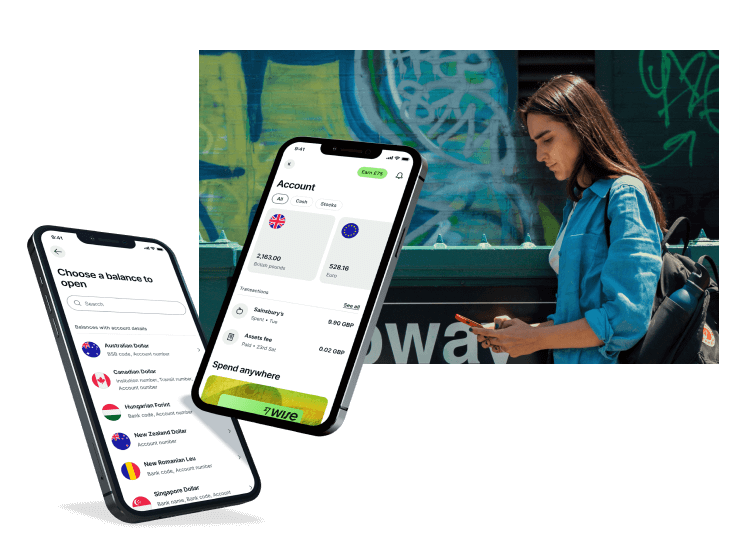
At a glance: How to withdraw money from Wise
Getting your money out of your Wise account is a simple process, whether you are sending it to a bank or taking out cash. Here is the essential overview:
- Two main methods: You can withdraw funds by sending them directly to a bank account or by using a Wise debit card at an ATM.
- Currency flexibility: You can withdraw or convert any of the 40+ supported currencies held in your Wise account.
- Low fees: Transferring AUD to an Australian bank account costs a small fixed fee (around 1.02 AUD), while currency conversions use the mid-market exchange rate.
- ATM perks: Wise cardholders get two free ATM withdrawals every month* up to a total of 350 AUD, with low transparent fees applying thereafter.
- No account needed to receive: If someone sends you money via Wise, you can have it deposited directly into your bank account without even opening a Wise account.
*Wise will not charge you for these withdrawals, but some additional charges may occur from independent ATM networks
How to withdraw money from a Wise account
If someone has sent you a payment to your multi-currency Wise account, or if you’ve got a balance in your Wise account that you want to use, you can withdraw your money from Wise in AUD or the currency of your choice. You can withdraw money from Wise in two main ways:
- Send the money from a Wise balance to a bank account
- Get a Wise card and withdraw cash
We’ll cover both Wise withdrawal options in more detail below.
If someone is sending you a payment through Wise, it’s also good to know you can have the funds deposited to your bank account if you’d prefer. There’s no need to have a Wise multi-currency account to receive money through Wise at all if you don’t want to – we’ll also touch on how receiving money with Wise without a Wise account works a little later. Here’s what we’ll focus on first – withdrawing from a Wise account balance:
Option 1: Withdraw money from Wise to a bank account
If you hold a Wise balance in any of the 40+ supported currencies, you can withdraw some or all of your money to a bank account. You’ll be able to either send funds without switching currencies, or convert a balance in your Wise account to the currency you need as part of the withdrawal.
Withdraw money to a bank account via the Wise App: Step-by-step
Here’s how to withdraw money from Wise to a bank account easily in the Wise app:
- Log into the Wise app and select the balance you want to withdraw from
Simply tap the currency balance you want to withdraw from in the app’s home page, to see your balance in that currency, and your options.
2. Select Send and enter or choose the bank account you want to withdraw to
You’ll be able to select a recipient account from those you’ve previously withdrawn or sent money to, or tap add a new recipient to enter a new bank account. You can save accounts under a nickname to make it easier to find them next time, too.
3. Enter the amount you want to withdraw
Enter the value you want to withdraw, confirm the currency, and check any fees that apply to your withdrawal. You’ll also get a delivery estimate so you’ll know when to expect the money to arrive.
4. Confirm the payment to transfer your balance to your bank account
Check everything over, confirm the payment using your 2 step authentication settings, and you’re good to go. You’ll be notified in the app when your transfer is being processed.
Australian bank account specifics for withdrawals
When withdrawing AUD to an Australian bank account, you’ll need to provide the correct BSB (Bank State Branch) number and account number. The BSB is a six-digit code that identifies the specific branch of an Australian financial institution. Entering this incorrectly could result in your funds being delayed or returned.
It is also important to be aware of reporting requirements for moving money into Australia. For most individuals, you must declare to AUSTRAC any physical currency transfers of 10,000 AUD or more (or the foreign currency equivalent). While Wise and your bank typically handle the digital reporting for electronic transfers, you should check the latest regulations to ensure you are meeting your tax and legal obligations.
For more information on declaring money from abroad, visit the official AUSTRAC website.
Withdraw money from Wise to a bank account – fees
Withdrawing from Wise without any currency conversion is free for Australian dollars (AUD). For other currencies, there’s a small fee to pay.
Example: Withdrawing AUD from your Wise account to a bank account in AUD, using a bank transfer, is now free.
💡 If you are a business customer, and you send same-currency transfers in a currency other than AUD from your Wise account (for example, sending GBP to a GBP bank account), a cross-border fee may apply. Always check the calculator before your transaction to know the exact fees.
If the currencies are different – withdrawing from a Wise AUD balance to a EUR account, for example – you’ll see the exchange rate being used, the currency conversion fee and how much you’ll receive in your bank account once the withdrawal has been processed. Currency conversion uses the mid-market exchange rate and low fees which depend on the currencies you’re converting from and to.
To illustrate, here are the Wise fees to withdraw AUD to a EUR bank account, using a bank transfer, across a couple of payment values:
| Withdrawing AUD to a EUR account – withdrawal amount | Withdrawing AUD to a EUR account – Wise fee | % Fees |
|---|---|---|
| 500 AUD | 2.41 AUD | 0.48% |
| 5000 AUD | 17.21 AUD | 0.34% |
*Information correct at time of research – 6th May 2026. Click here to read more about Wise fees.
Withdrawal limit
Wise has a withdrawal limit which varies based on how you want to send your AUD payment. The maximum payment amount can be as high as 1.8 million AUD, and you’ll be shown the limits which apply when you’re setting up your withdrawal.
Option 2: Wise cash withdrawal at an ATM
So, can you withdraw cash from Wise? Wise account holders can also get a Wise international debit card and use it to make cash withdrawals from a wide network of ATMs globally. All account holders can make some free withdrawals every month*, in 150+ countries, with low fees once your free transactions are exhausted.
There’s a one time order fee of 10 AUD to pay when you get your first Wise card, with no monthly or annual fees after that. You’ll also get a digital card, and some free ATM withdrawals every month*. More on the Wise ATM withdrawal fees and limits, next.
Let’s walk through how to order a Wise debit card step by step, so you’ll be ready to withdraw cash from your Wise account.
Withdraw money at an ATM with Wise: Step-by-step
- Log into the Wise app or head to the Wise desktop site
- Tap the Cards tab and order your Wise card – you’ll need to have a currency balance to place your order
- Confirm your personal details, and complete any required verification step
- Pay the one time order fee of 10 AUD
- Your Wise card will arrive in the post, and you’ll be able to use your Wise digital card online quickly or instantly, depending on factors, or to make mobile payments through a service like Apple Pay
- Once your physical Wise card arrives you can activate the contactless feature by making a chip and PIN payment or cash withdrawal
Once you have your physical Wise card you can make cash withdrawals at ATMs around the world. Simply insert your card and enter the Wise PIN which you can find in the Wise app easily – just like using any other ATM card.
Wise ATM withdrawal fee
You can take out cash from an ATM for free* twice a month, up to a total amount of 350 AUD. After that, there’s a fee of 1.50 AUD per transaction, plus 1.75% of the withdrawal amount.
If you’re withdrawing in a currency you don’t hold in your Wise account, your Wise card will convert funds from the currency balance that offers the lowest possible fees, with conversion costs from 0.63%.
*Wise will not charge you for these withdrawals, but some additional charges may occur from independent ATM networks
Writer’s tip: Saving on Wise ATM withdrawal fees
When withdrawing cash abroad, always choose to be charged in the local currency rather than Australian dollars. This avoids Dynamic Currency Conversion (DCC), where the ATM operator applies their own exchange rate, which can be expensive. By selecting the local currency, you ensure Wise handles the conversion using the mid-market exchange rate.
To further minimise Wise ATM withdrawal fees, try to plan for fewer, larger visits. Since you get two free withdrawals (up to $350 AUD) each month*, consolidating your cash needs helps you stay within the free limit and avoids paying the fixed transaction fee multiple times.
*Wise will not charge you for these withdrawals, but some additional charges may occur from independent ATM networks
Wise ATM withdrawal limit
Wise cards come with default daily and monthly limits for ATM withdrawals. These limits are in place for your security, but they are flexible. Your daily limit is typically the same as your monthly limit by default, but you have the option to adjust these within the Wise app to suit your needs.
It is easy to check how much of your limit you have remaining. Simply head to the Cards tab in the Wise app or on the website to see your current usage and adjust your limits. Keep in mind that some ATM operators may also have their own per-transaction limits, which could be lower than your Wise account limits.
Click here to read more about Wise card
What customers say about Wise withdrawals
“Very quick and easy transfers, often within seconds. 40+ currencies are great for travelling and also for working in out of the way places—I’ve been able to use the ATM to withdraw local currency in some very obscure regions, saving me a lot on poor exchange rates. I highly recommend WISE.” – Lauren*
“It’s just so easy to make transfers and withdraw money.” – Rob*
*Customer name changed for privacy. The customer was not paid to share a review. Review taken from Trustpilot in March 2026. The speed of transaction claims depends on individual circumstances and may not be available for all transactions.
Receiving money from Wise
The options we’ve looked at so far cover how to withdraw money from a Wise account if you already hold a Wise balance. However, you don’t necessarily need a Wise account to receive money through Wise. If someone wants to send you a payment through Wise you can simply give them your bank details, and they can set up the transfer to be deposited right to your bank account. You won’t need to do anything to get your money, and the sender can set up a notification so you get an email when the payment has arrived in your bank account.
Tips for withdrawing money with Wise
To ensure your funds arrive without unnecessary delays, keep these tips in mind before you start your withdrawal:
- Double-check recipient details: Verify the BSB and account number for Australian withdrawals. A single typo can cause the payment to be rejected and sent back, which may take several business days to process.
- Match the names: Ensure the name on the receiving bank account matches the name on your Wise account. Withdrawals to third-party accounts or business accounts from a personal profile can trigger additional security checks or cancellations.
- Understand your limits: Before setting up a large transfer, check your current daily and monthly withdrawal limits in the Cards tab of the app to avoid any mid-transaction hurdles.
- Check the fees upfront: Wise is transparent about costs – use the in-app calculator to see the exact fee and exchange rate for your specific withdrawal amount before you confirm.
- Watch the clock: Banks do not process transfers on weekends or public holidays. If you need your money by a certain date, try to initiate the withdrawal earlier in the week to avoid weekend delays.
- Use the right reference: If you are required to include a reference number for your specific bank, ensure it is entered correctly so your bank can easily link the incoming payment to your account.
Conclusion: How to withdraw money from Wise
You can withdraw money from Wise if you hold a Wise balance in any of the 40+ supported currencies in the Wise multi-currency account. Withdraw from your Wise currency balance by sending the funds to your preferred bank account, or by getting a Wise debit card to make a cash withdrawal at home or abroad.
If you’ve not got a Wise account, you can still get paid through Wise to your bank account. Just give the person sending you money your bank details, and the payment can be deposited right into your account for convenience – with many payments arriving instantly. Use this guide to help you withdraw a Wise currency balance easily, or to get paid by someone else right to your bank account with a Wise low cost transfer.
FAQs about withdrawing money from Wise
How do I withdraw money from my Wise account?
Withdraw a Wise currency balance by sending it to your bank account, or by ordering a linked Wise debit card that allows you to make cash withdrawals from a wide network of ATMs globally. There’s a low fee to make a withdrawal from Wise to your bank account, and all Wise card holders can make up to 2 ATM withdrawals fee free every month*, to a maximum of 350 AUD. Low ATM fees apply after that.
*Wise will not charge you for these withdrawals, but some additional charges may occur from independent ATM networks
Can you withdraw money from Wise?
Yes. If you hold a Wise account balance you can withdraw it back to your bank account, or get a Wise debit card to withdraw your money from an ATM at home or abroad. There’s a low fee to withdraw funds from Wise to a bank, which varies depending on whether or not you need to convert currencies to complete your withdrawal. All Wise card holders can make some fee free ATM withdrawals every month*, too.
*Wise will not charge you for these withdrawals, but some additional charges may occur from independent ATM networks
Can Wise transfer to the bank directly?
Yes. Wise is designed to transfer funds directly to a bank account. Whether you are withdrawing your own balance or someone is sending you a payment, the money is deposited directly into the recipient’s bank account. The recipient does not even need a Wise account to receive the funds – they simply provide their bank details to the sender.
How long does a Wise bank transfer withdrawal take?
A Wise account to bank transfer is often very fast, with 50% of transfers arriving instantly and the vast majority of payments arriving with 24 hours*. The exact delivery time for your Wise bank transfer withdrawal depends on the currency you are sending, the destination bank’s processing times, and whether you are withdrawing during standard business hours. You will see an estimated delivery time in the app before you confirm your withdrawal.
*The speed of transaction claims depends on individual circumstances and may not be available for all transactions
Useful resources
- Wise Australia: Official Wise page for Australia with information on the Wise account for sending, spending and receiving money
- Wise AUD Transfers: Guide to Australian dollar transfers
- Wise Card Limits: Information on spending and ATM withdrawal limits
- AUSTRAC: Official reporting requirements for transferring money into and out of Australia